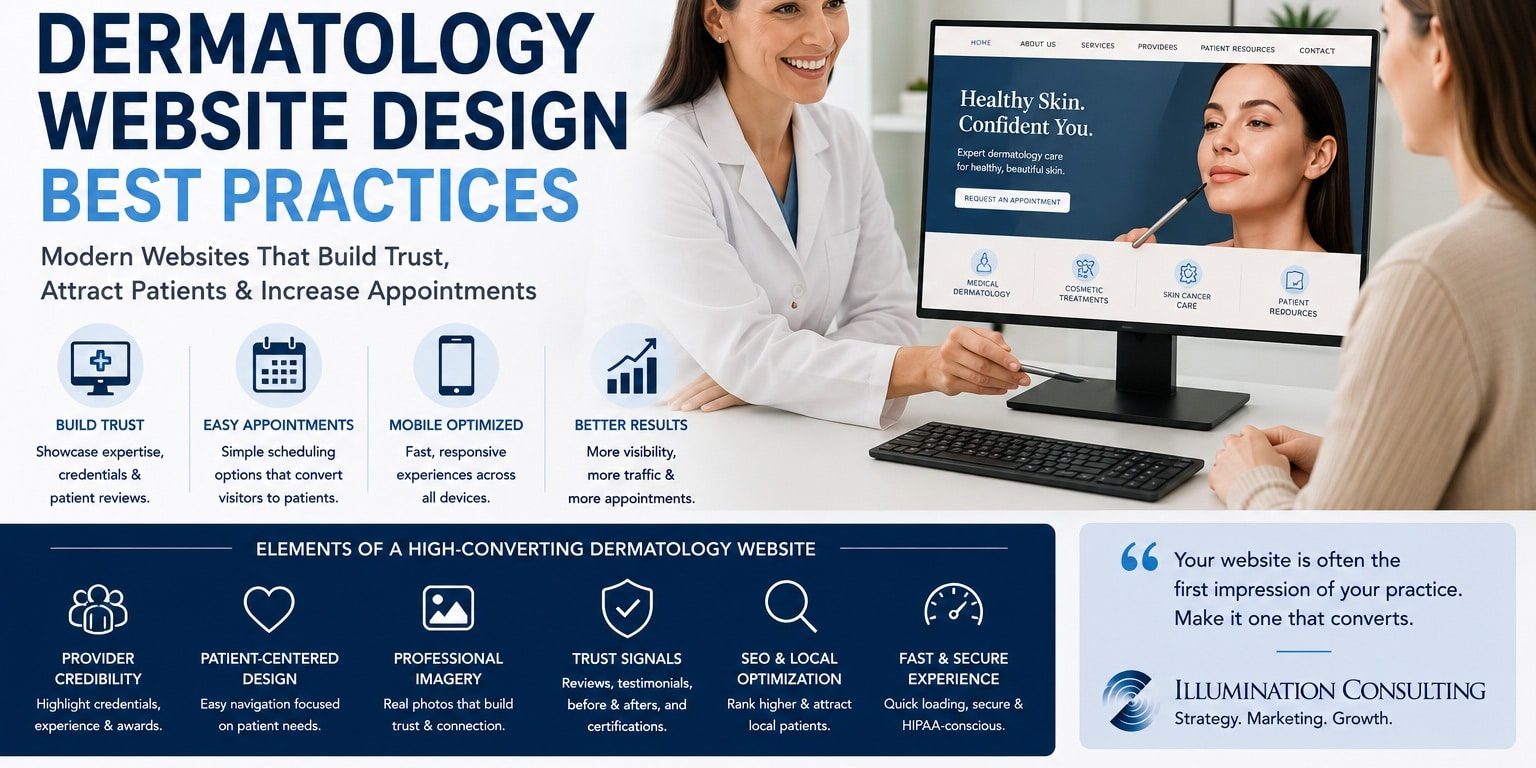
Effective dermatology website design best practices help practices create a professional digital experience that builds patient confidence, communicates clinical expertise, and converts website visitors into appointment requests. For many prospective patients, the website is their first meaningful interaction with a dermatology practice, making design, usability, content, and credibility critical to growth.
Patients searching for dermatologic care frequently compare several practices before scheduling. They evaluate provider credentials, treatment options, office locations, reviews, appointment availability, insurance information, and the overall professionalism of each website. A confusing or outdated site can undermine confidence before the patient ever contacts the practice.
Modern dermatology websites therefore need to accomplish much more than simply look attractive. They should educate patients, simplify navigation, showcase medical expertise, support organic search visibility, and make requesting an appointment effortless across desktop and mobile devices.
In this guide, we’ll explore proven dermatology website design best practices that help practices improve patient experience, increase appointment conversions, strengthen online credibility, and support sustainable practice growth.
Why Website Design Matters for Dermatology Practices
A dermatology website acts as the digital front door of the practice.
Patients may visit it after discovering the practice through Google, physician referrals, social media, advertising, online directories, or recommendations from friends and family. Regardless of the source, the website often determines whether that interest becomes an appointment.
A high-performing dermatology website can help:
- Increase patient appointment requests
- Build trust before the first visit
- Improve local search visibility
- Educate prospective patients
- Showcase provider expertise
- Strengthen practice branding
- Improve mobile usability
- Support cosmetic service growth
- Reduce repetitive patient questions
- Improve marketing return on investment
The strongest websites combine professional presentation with clear business objectives.
Design Around Patient Needs
One of the most important dermatology website design best practices is building the site around what patients need rather than how the practice is organized internally.
Patients typically arrive looking for answers to questions such as:
- Do you treat my condition?
- Which provider should I see?
- Where are you located?
- Do you accept my insurance?
- How quickly can I get an appointment?
- Do you offer cosmetic treatments?
- What should I expect during my visit?
The website should make those answers easy to find.
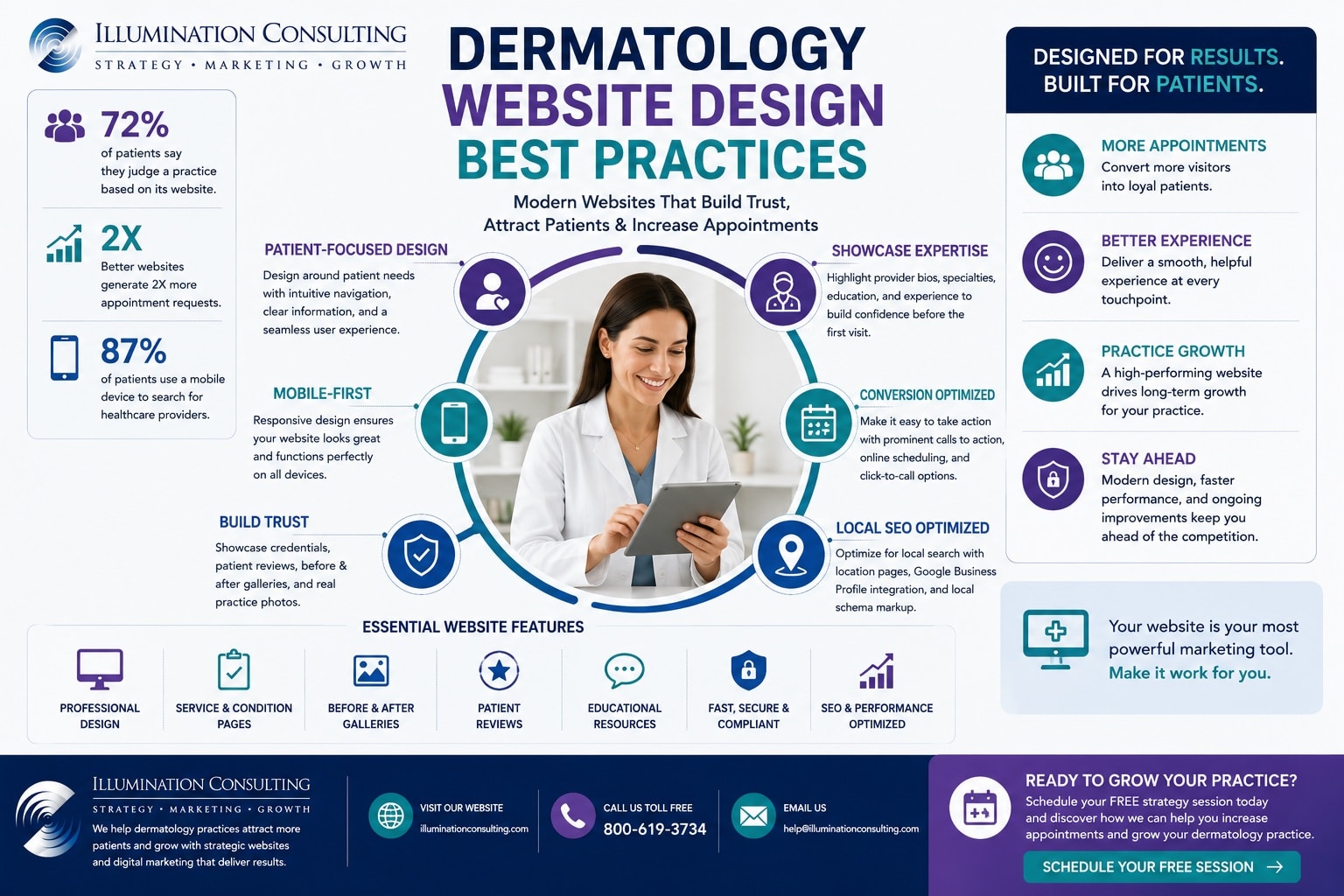
Create Simple, Intuitive Navigation
Complicated navigation creates unnecessary friction.
Primary navigation should generally direct patients toward the most important sections of the website, such as:
- Medical Dermatology
- Cosmetic Dermatology
- Skin Cancer
- Providers
- Locations
- Patient Resources
- About the Practice
- Request an Appointment
Avoid overcrowding menus with dozens of individual treatments when those services can be organized logically within broader categories.
Build Strong Service Architecture
Dermatology practices often offer a wide range of medical, surgical, and cosmetic services.
Each important service should have its own dedicated page rather than being grouped into one generic treatments page.
Examples include:
- Acne treatment
- Eczema treatment
- Psoriasis treatment
- Rosacea treatment
- Skin cancer screenings
- Mole evaluations
- Mohs surgery
- Botox
- Dermal fillers
- Laser treatments
- Chemical peels
Dedicated pages improve patient education while creating stronger opportunities for organic search rankings.
Separate Medical and Cosmetic Patient Journeys
Medical dermatology patients and cosmetic patients often have very different needs.
Medical patients may prioritize:
- Insurance participation
- Provider credentials
- Medical conditions treated
- Appointment availability
- Office locations
Cosmetic patients may focus more heavily on:
- Before-and-after galleries
- Procedure details
- Provider experience
- Pricing or financing
- Reviews
- Consultation requests
Designing distinct pathways for each audience improves usability while increasing conversion opportunities.
Showcase Provider Expertise
Patients want reassurance that they are choosing experienced, qualified healthcare professionals.
Provider pages should go beyond listing names and credentials by helping patients understand each physician’s expertise and approach to care.
Include information such as:
- Professional biography
- Board certifications
- Medical education
- Residency and fellowship training
- Areas of specialization
- Professional memberships
- Clinical interests
- Awards and recognitions
Adding professional photography and a welcoming introduction helps create familiarity before the patient’s first visit.
Build Patient Confidence with Trust Signals
Trust is one of the strongest conversion factors for healthcare websites.
Patients are far more likely to request an appointment when they feel confident in both the provider and the practice.
Effective trust signals include:
- Verified patient reviews
- Professional affiliations
- Board certifications
- Years of experience
- Hospital affiliations
- Industry awards
- Published research
- Patient testimonials
Displaying these elements throughout the website reinforces credibility without overwhelming visitors.
Use Professional Photography
Photography significantly influences how patients perceive a medical practice.
Rather than relying on generic stock images, invest in authentic photography that reflects your practice.
Consider including:
- Physicians
- Clinical staff
- Office interiors
- Reception areas
- Treatment rooms
- Patient consultation spaces
- Team photographs
- Exterior office images
Authentic imagery creates a more welcoming experience while helping prospective patients feel comfortable before their visit.
Highlight Before-and-After Galleries Carefully
For cosmetic dermatology services, before-and-after galleries can be highly persuasive.
When appropriate and compliant with applicable regulations, galleries should:
- Use consistent lighting
- Present realistic outcomes
- Include treatment descriptions
- Organize procedures logically
- Showcase multiple patient examples
Accurate visual expectations help patients make informed decisions while strengthening confidence in the practice.
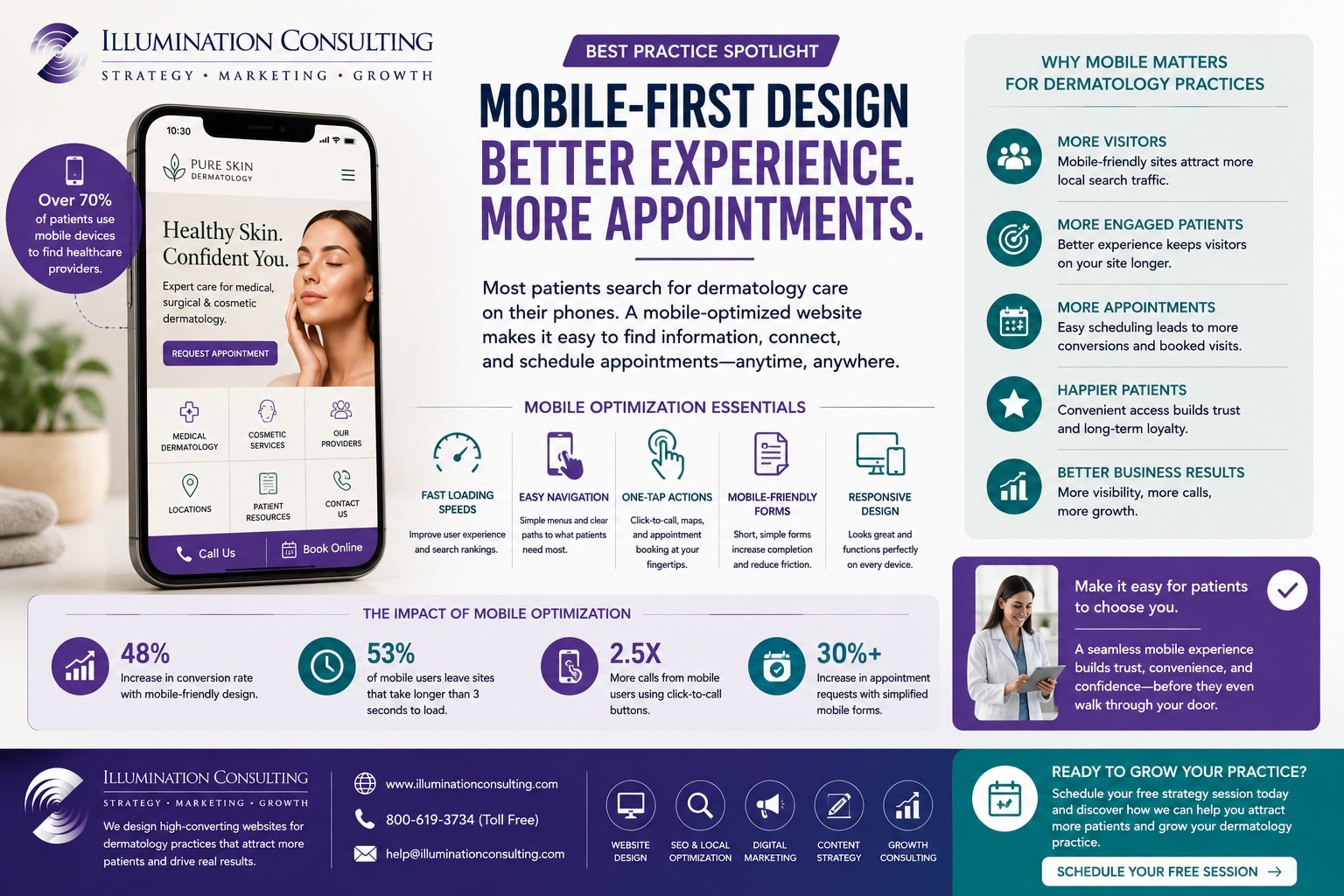
Optimize Every Page for Mobile Devices
Most patients now search for healthcare providers using smartphones.
Following dermatology website design best practices means ensuring every page performs exceptionally well on mobile devices.
Mobile optimization should include:
- Fast loading speeds
- Responsive layouts
- Easy navigation
- Click-to-call functionality
- Mobile-friendly appointment forms
- Readable typography
- Large touch targets
- Simple scrolling
A positive mobile experience improves both patient satisfaction and search engine performance.
Simplify Appointment Requests
Scheduling an appointment should require as little effort as possible.
Practices should provide multiple ways for patients to contact the office, including:
- Online appointment request forms
- Click-to-call buttons
- Secure patient messaging
- Online scheduling
- Location maps
- Office hours
- Insurance information
Reducing friction during the scheduling process increases conversion rates while improving the overall patient experience.
Improve Local Search Visibility
Website design and local SEO should work together.
Many dermatology patients search for providers within their local area, making local optimization essential for attracting qualified traffic.
Important local SEO elements include:
- Location-specific pages
- Google Business Profile integration
- Consistent NAP information
- Local schema markup
- Embedded Google Maps
- Local patient reviews
- Community involvement
- Optimized contact pages
Combining excellent website design with local SEO helps practices increase visibility among nearby patients actively seeking dermatologic care.
Create Educational Patient Resources
An informative website helps patients make confident healthcare decisions while positioning the practice as a trusted authority.
Educational content also supports search engine optimization by answering common patient questions before they schedule an appointment.
Helpful resources may include:
- Skin condition guides
- Treatment overviews
- Prevention tips
- Frequently asked questions
- Blog articles
- Downloadable patient guides
- Pre-treatment instructions
- Post-treatment care information
Providing valuable educational content builds trust while encouraging patients to return to the website throughout their care journey.
Improve Website Accessibility
Accessibility is an important component of modern healthcare website design.
An accessible website provides a better experience for all visitors, including those with visual, hearing, or motor impairments.
Accessibility improvements include:
- Readable typography
- Strong color contrast
- Alternative image text
- Keyboard navigation
- Descriptive headings
- Clear form labels
- Logical page structure
- Responsive layouts
Improving accessibility enhances usability while helping practices serve a broader patient population.
Strengthen Calls to Action
Every page should clearly guide visitors toward scheduling an appointment or contacting the practice.
Calls to action should remain visible throughout the website rather than appearing only at the bottom of each page.
Effective calls to action include:
- Request an Appointment
- Schedule a Consultation
- Contact Our Office
- Meet Our Providers
- View Treatment Options
- Find a Location
- Call Today
- Book Online
Clear calls to action reduce hesitation while improving conversion rates.
Improve Website Performance
Website speed has a direct impact on patient experience, search rankings, and appointment conversions.
Practices should regularly optimize:
- Image compression
- Page loading speed
- Mobile performance
- Browser caching
- Core Web Vitals
- Hosting quality
- Code optimization
- Security updates
Fast, reliable websites provide a better experience while supporting stronger marketing performance.
Common Website Design Mistakes
Even excellent dermatology practices can lose prospective patients because of avoidable website issues.
Recognizing these problems helps practices improve usability while increasing appointment requests.
Outdated Website Design
Patients often associate website quality with the overall quality of the practice.
An outdated design can unintentionally communicate that the practice is behind current standards.
Modern healthcare websites should feature:
- Clean layouts
- Professional branding
- High-quality photography
- Consistent typography
- Mobile responsiveness
- Intuitive navigation
- Clear messaging
- Contemporary visual design
An updated website strengthens first impressions while reinforcing professionalism.
Too Much Medical Terminology
Patients typically search using everyday language rather than complex medical terminology.
Website content should explain conditions and treatments clearly without sacrificing clinical accuracy.
Instead of overwhelming visitors with technical language, focus on:
- Simple explanations
- Patient-friendly terminology
- Visual illustrations
- Frequently asked questions
- Easy-to-understand treatment descriptions
Clear communication improves patient confidence while making healthcare information more accessible.
Weak Conversion Paths
Many healthcare websites provide useful information but fail to guide visitors toward becoming patients.
Every important page should make the next step obvious by including:
- Appointment buttons
- Contact information
- Provider links
- Location maps
- Online scheduling
- Consultation requests
- Click-to-call options
- Patient forms
Removing unnecessary obstacles increases appointment requests while improving the overall user experience.
Use Artificial Intelligence to Enhance Patient Experience
Artificial intelligence is helping dermatology practices deliver more personalized, efficient, and responsive patient experiences while improving operational performance.
When implemented strategically, AI can support both patients and practice staff by automating routine tasks and providing valuable business insights.
AI applications include:
- Intelligent appointment scheduling
- AI-powered chat assistants
- Patient communication automation
- Personalized educational content
- Search optimization
- Marketing automation
- Patient segmentation
- Review monitoring
- Analytics and reporting
- Workflow automation
AI should enhance—not replace—the personalized care and clinical expertise that patients expect from their healthcare providers.
Continuously Improve Your Website
Following dermatology website design best practices is an ongoing process rather than a one-time website project.
Patient expectations, search engine algorithms, technology, and healthcare marketing continue to evolve. Regular improvements help practices remain competitive while providing better patient experiences.
Review your website regularly by evaluating:
- User behavior
- Appointment conversion rates
- Mobile usability
- Search rankings
- Core Web Vitals
- Patient feedback
- Content performance
- Local SEO visibility
Small improvements made consistently often produce significant long-term growth.
Frequently Asked Questions
What are dermatology website design best practices?
Dermatology website design best practices are proven methods for creating professional, patient-focused websites that improve usability, strengthen credibility, increase search visibility, and generate more appointment requests.
Why is website design important for dermatology practices?
A website is often a prospective patient’s first impression of a dermatology practice. An intuitive, modern, and informative website builds trust, improves patient confidence, and increases the likelihood that visitors will schedule an appointment.
What should every dermatology website include?
Every dermatology website should include dedicated service pages, provider biographies, patient resources, online appointment requests, contact information, location details, professional photography, patient reviews, and clear calls to action.
Does website design improve SEO?
Yes. Well-designed websites typically improve page speed, mobile usability, navigation, internal linking, and user engagement, all of which support stronger search engine optimization and improved organic visibility.
How often should a dermatology website be updated?
Practices should review and update their websites regularly to improve content, refresh photography, optimize SEO, enhance performance, add new services, and ensure patients always receive accurate and current information.
Grow Your Dermatology Practice with Illumination Consulting
Successful dermatology website design best practices combine outstanding user experience, strategic branding, technical SEO, patient education, mobile optimization, and conversion-focused design to create websites that consistently attract new patients and strengthen long-term practice growth. Dermatology practices that invest in modern website design improve credibility, increase appointment requests, enhance patient satisfaction, and maximize the return on every marketing investment.
At Illumination Consulting, we help dermatology practices grow through custom healthcare website design, search engine optimization, digital marketing, content marketing, AI-powered business solutions, and strategic consulting. Our customized growth strategies are designed to improve online visibility, strengthen patient trust, increase appointment requests, and deliver measurable business results.
Whether you’re launching a new dermatology practice or modernizing an established website, our team can help you implement dermatology website design best practices that create exceptional patient experiences, increase conversions, and support sustainable long-term growth.